
A useful training manual is not a warehouse for everything the organization knows. It is a practical guide that helps a defined group of people perform specific work safely, consistently, and with good judgment. If learners cannot find the answer during a real task, the manual has missed its moment.
These five free training manual templates include restaurant, operations, emergency-dispatch, and editable Word examples. Use them as structural references, then build content from the actual job, current procedures, equipment, risks, and learner needs. Several examples lead to third-party sources whose availability and terms can change.
Start with the Performance Goal
Write what the learner should be able to do after training. “Understand customer service” is difficult to observe. “Greet a customer, confirm the request, document the interaction, and escalate complaints under the approved process” is specific enough to teach and assess.
Separate required performance from background knowledge. Include enough context for sound decisions, but do not bury the task under company history, promotional language, or policies unrelated to the role.
Know the Learner
Identify the audience’s experience, language, literacy, technical confidence, work setting, accessibility needs, and prior training. A first-day employee needs definitions and orientation; an experienced technician may need a concise change guide and practice with exceptions.
Consider where the manual will be used. A kitchen, warehouse, clinic, vehicle, call center, classroom, and home office impose different limits on screen size, noise, gloves, connectivity, time, and confidentiality.
A Practical Training Manual Structure
- Purpose, audience, scope, owner, and version
- Learning objectives and prerequisites
- Roles and responsibilities
- Safety, compliance, and escalation rules
- Tools, systems, materials, and setup
- Step-by-step procedures
- Examples, scenarios, and practice activities
- Knowledge checks or performance assessments
- Troubleshooting and exceptions
- References, glossary, and support contacts
- Revision history and approval
Not every manual needs all sections. A short equipment guide may be eight pages; onboarding for a complex role may use modules, videos, supervised practice, and separate job aids.
Write Procedures from Observation
Do not rely solely on how a manager believes the task works. Observe competent employees, inspect the current system, review incidents and common errors, and test the procedure in the real environment. Differences between policy and practice should be resolved rather than quietly copied.
For each procedure, state the trigger, required inputs, responsible role, steps, decision points, expected result, records created, and escalation route. Identify steps that must never be skipped.
Make Instructions Actionable
Use a clear verb at the start of each step. Keep one main action per numbered step. Place warnings before the hazardous action, not after it. Use the exact names shown on tools, screens, menus, buttons, and forms.
When a decision is required, describe the condition and response:
If the delivery temperature is outside the approved range, do not store the goods. Isolate the shipment, record the reading, and notify the shift manager under the rejection procedure.
This is more useful than “Check temperature and take appropriate action.”
Use Screenshots and Photographs Carefully
Images can show equipment position, screen location, finished quality, or a physical hazard. Crop to the relevant area, add a short caption, and use callouts sparingly. Provide descriptive alternative text in digital manuals.
Remove customer data, employee details, passwords, access tokens, medical information, and confidential screens. Screenshots become outdated quickly; connect each one to a version and review date.
Design for Scanning
People often consult a manual while trying to finish a task. Use descriptive headings, short paragraphs, numbered procedures, checklists, tables, cross-references, and a searchable contents page. Keep warning styles consistent.
Avoid unexplained acronyms and dense blocks of policy language. Define essential terms near first use and maintain a glossary for role-specific vocabulary. Page numbers and section codes make support conversations easier.
Separate Training from Job Aids
A full manual teaches the purpose, process, practice, and exceptions. A job aid provides quick support during work: a checklist, flowchart, decision table, script, or one-page reference. Trying to make one document do both usually creates either a shallow manual or a cumbersome checklist.
Link job aids to the controlled source procedure so an update reaches every format. Print versions should show their revision date and owner.
Practice and Assessment
Reading is not proof of performance. Give learners realistic examples, demonstrations, guided practice, independent practice, and feedback. Assessment should match the objective: observe a physical task, review a completed record, run a role-play, or use a scenario-based knowledge check.
Define the passing standard and what happens after an unsuccessful attempt. High-risk work may require supervised qualification, periodic recertification, or a legally prescribed training process.
Restaurant Training Manuals
A restaurant manual may cover opening and closing, food safety, allergens, hygiene, cleaning, equipment, receiving, storage, preparation, service, cash handling, complaints, emergencies, and role-specific standards. Generic templates cannot establish safe temperatures, allergen controls, or local legal duties.
Use current official food-safety requirements and qualified professionals. Train employees in the language and method they can understand, and verify performance in the actual workplace.
Safety and Compliance
Legal, medical, technical, and safety instructions require subject-matter review. Identify mandatory personal protective equipment, prohibited actions, emergency stops, incident reporting, and when work must pause. Do not soften warnings to make the page look friendly.
A manual does not replace required training, supervision, licenses, certifications, equipment instructions, safety data, or emergency plans. Confirm obligations for the role and jurisdiction.
Accessibility and Inclusive Learning
Use readable type, strong contrast, meaningful heading order, captions for video, transcripts for audio, descriptive links, alt text, and keyboard-accessible files. Avoid conveying a warning by color alone.
Provide reasonable formats and accommodations. Translation requires more than replacing words: examples, measurements, legal references, screenshots, and cultural assumptions may need localization and review by a competent speaker.
Version Control and Ownership
Every manual should show its title, owner, approver, version, effective date, and review date. Keep a revision history that states what changed and why. Store the approved master in a controlled location and remove obsolete copies from active use.
Name a role, not only a person, as the long-term owner. The owner monitors process, system, legal, equipment, and organizational changes; coordinates subject-matter review; and communicates revisions to affected learners.
Updating the Manual
Review on a planned schedule and after significant incidents, audit findings, system releases, equipment changes, customer complaints, or regulatory updates. Do not wait for the annual review when a procedure is known to be unsafe or wrong.
Classify changes. A spelling correction may need simple publishing control; a changed safety step, approval limit, or customer promise may require formal approval, retraining, and evidence that affected employees understood the update.
Knowledge Checks That Reveal Understanding
Avoid questions that merely ask learners to repeat a sentence. Use scenarios with plausible choices: What should happen if identification cannot be verified? Which item is isolated after a temperature failure? When must a supervisor approve an exception?
Provide feedback explaining why an answer is correct. For critical tasks, combine questions with observed performance. A learner can recognize the right response on screen and still struggle to carry out the procedure.
Onboarding and Role-Based Learning Paths
Organize modules into required before work, first week, supervised practice, independent authorization, and later development. Show prerequisites so advanced tasks are not assigned before the fundamentals.
Role-based paths prevent every employee from reading every page. Shared modules can cover culture, conduct, safety, security, and reporting; role modules can focus on specific systems and tasks. Managers need separate guidance for coaching, observation, and sign-off.
Troubleshooting Without Encouraging Workarounds
Describe common symptoms, likely causes, safe checks, and escalation. Clearly separate user-resolvable issues from conditions that require technical support, maintenance, security, medical, or safety professionals.
Do not document unofficial shortcuts simply because they are common. Investigate why people use them. The official process may need redesign, or the workaround may create unacceptable risk.
Measure Whether Training Works
Completion counts show participation, not effectiveness. Use a balanced set of indicators: assessment results, observed competence, error rates, quality, safety events, customer outcomes, time to proficiency, support requests, and learner feedback.
Avoid attributing every performance change to training. Tools, staffing, incentives, workload, management, and process design also affect results. If employees know the procedure but cannot perform it because the system is slow or supplies are missing, revise the work environment rather than adding another course.
Protect Confidential Information
Use fictional or safely anonymized data in examples. Do not include real customer records, employee passwords, access keys, unreleased product details, private health information, or sensitive security diagrams in a broadly distributed manual.
Define the audience and access level. Public product instructions, internal operations guidance, and restricted security procedures should not automatically live in the same file.
Common Training Manual Mistakes
- Writing before defining learner performance
- Copying policy without showing the task
- Documenting an ideal process that employees cannot follow
- Using vague steps such as “handle appropriately”
- Placing warnings after hazardous actions
- Relying on reading as the only assessment
- Publishing screenshots with sensitive or outdated data
- Missing owners, dates, approval, and revision history
- Leaving obsolete copies in circulation
- Treating every performance problem as a training problem
Final Review Before Release
Have a subject-matter expert confirm accuracy, a new or representative learner test usability, a safety or compliance reviewer check relevant obligations, and an editor check language and layout. Observe someone perform the task using only the draft. Their hesitation points reveal what the document still needs.
Release the manual only after approval, then communicate what changed, who is affected, when it takes effect, and whether training or acknowledgment is required.
Preview and Download the Training Manual Templates
The original previews and available sources are preserved below. Check current third-party access, price, security, format, and licensing before use.
Editable Training Manual Template
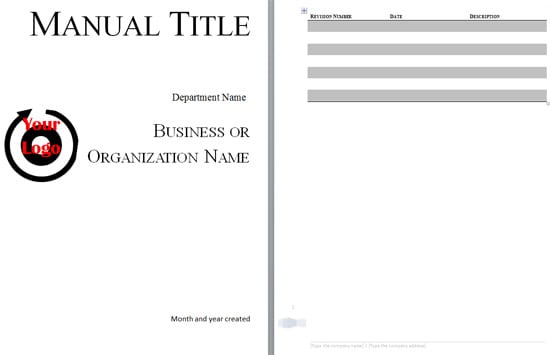

Restaurant Training Manual Template
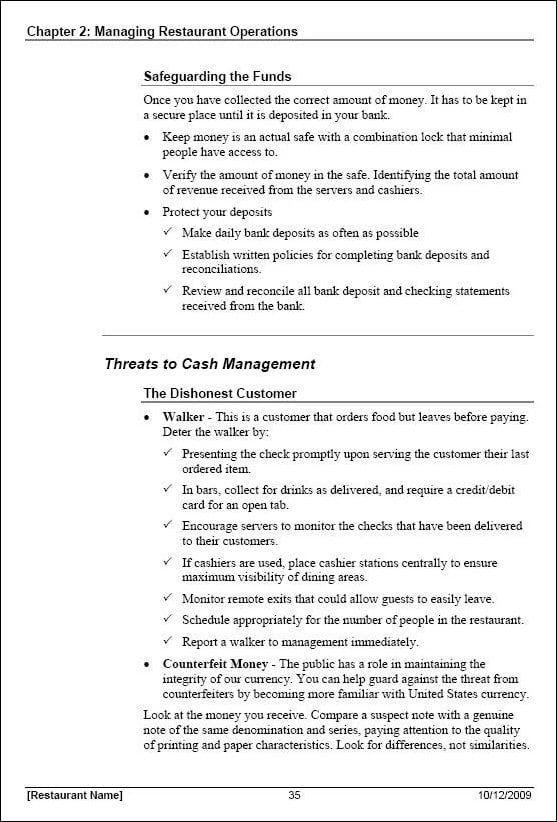
Emergency Dispatch Training Manual Example
Sample Restaurant Training Manual
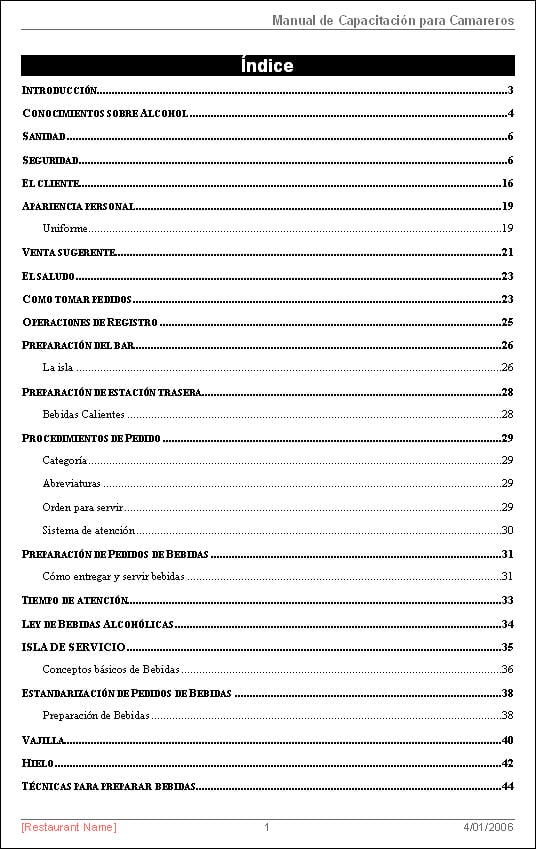
Hosted Training Manual Template for Word


Training Manual Template FAQs
What is the purpose of a training manual?
It helps a defined audience learn and perform specific work accurately, safely, consistently, and with appropriate judgment.
What sections should it contain?
Common sections include objectives, roles, setup, procedures, safety, practice, assessment, troubleshooting, references, ownership, and revision history.
How is a manual different from a job aid?
A manual teaches context, process, practice, and exceptions; a job aid supports quick action during work.
How often should a manual be reviewed?
Use a planned schedule and also review after material process, system, equipment, legal, or risk changes.
Does reading prove competence?
No. Use practice and assessment that match the real task, especially for safety-critical work.
Who should approve a training manual?
Approval may involve the process owner, subject expert, safety or compliance reviewer, training lead, and authorized manager.
Can I edit the hosted template in Word?
Yes. Customize a copy for the real role, learners, tasks, controls, and review process.
Are external templates guaranteed to remain available?
No. Third-party availability, pricing, formats, and licensing can change.