
The word “voucher” can describe two very different documents. A promotional or gift voucher gives a customer value, a discount, or a service. A payment voucher is an internal accounting record used to authorize and document money leaving an organization. Confusing the two leads to weak controls and unclear customer terms.
This set of seven free voucher templates includes gift-certificate designs, payment-voucher examples, and an editable Word download. Choose the type that matches the transaction, then customize the fields, approval process, and terms. Several buttons lead to third-party sources whose availability and licenses may change.
Choose the Correct Voucher Type
- Gift voucher: represents prepaid value, a product, service, or experience for a recipient.
- Discount voucher: reduces the price when stated conditions are met.
- Payment voucher: supports approval and recording of a business payment.
- Cash voucher: documents cash received or paid, depending on the organization’s terminology.
- Expense or reimbursement voucher: records a claim and its supporting evidence.
- Journal voucher: supports an internal accounting entry rather than a customer benefit.
Put the document type in the title. “Voucher” alone is too broad for a busy cashier, accounts clerk, customer, or auditor.
Payment Voucher: Core Fields
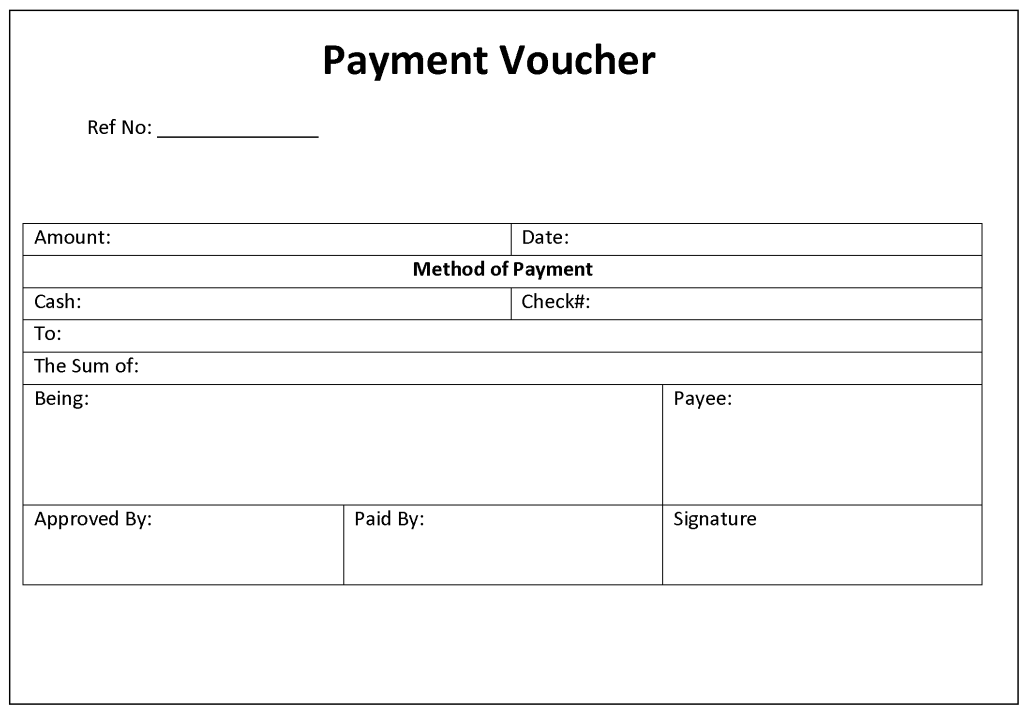
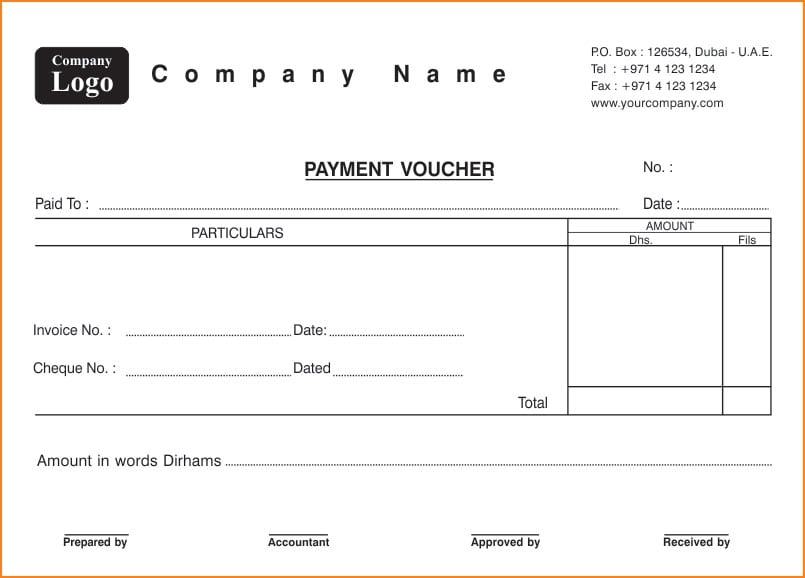
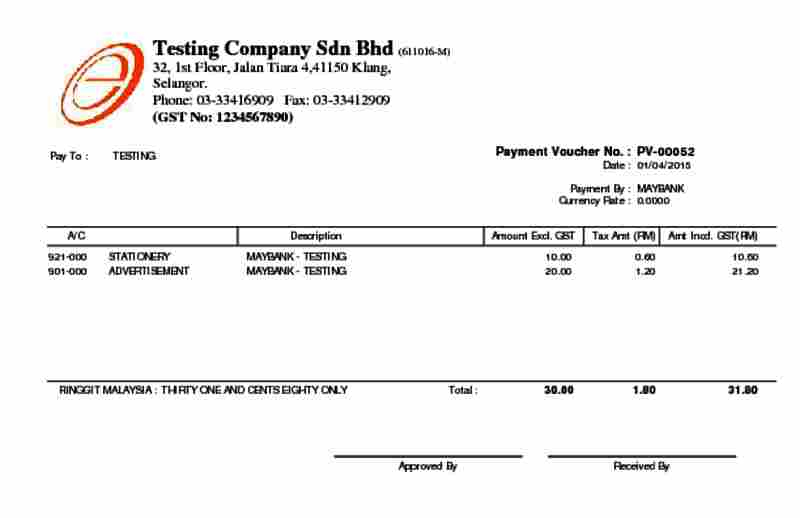
A business payment voucher normally needs a unique number, preparation date, payee, payment purpose, related invoice or purchase order, amount, currency, account or cost-center coding, tax treatment, payment method, supporting-document references, preparer, reviewer, approver, and payment status.
Include space for exceptions without letting free-form notes replace controls. If an invoice is missing, the voucher should identify the approved alternative evidence and the reason. Never create a vague description such as “miscellaneous services” when the transaction can be stated precisely.
Separate Preparation, Approval, and Payment
Where staffing permits, the person who requests or prepares a payment should not be the only person who approves it and releases funds. This separation reduces error and fraud. The voucher should show who performed each step and when.
Approval limits matter. A supervisor may approve routine purchases up to one amount, while larger or unusual payments require a more senior reviewer. Document the current authority matrix outside the template and configure the workflow to enforce it.
Match the Voucher to Evidence
Before approval, compare the supplier invoice with the purchase order, receiving evidence, contract, or other authorization. Confirm the supplier name, bank details, quantities, prices, taxes, and totals. Look for duplicates by invoice number, amount, date, and vendor.
Mark supporting documents as paid or link them to the completed transaction so they cannot be submitted again. Keep the voucher number in the accounting entry and the payment reference in the voucher record. That two-way link makes reconciliation faster.
Bank Detail and Fraud Checks
A convincing invoice or email does not prove that new bank details are genuine. Verify changes through an independently known contact method, not the phone number or link supplied in the change request. Record who completed verification and when.
Restrict access to payment files, online banking, check stock, and approval credentials. Never place full passwords, authentication codes, or unnecessary bank data on a printable voucher. Follow the organization’s security and privacy policy.
Payment Voucher Numbering
Use a controlled unique sequence such as PV-2026-00418. If branches or systems create vouchers separately, add a location or series code. Do not reuse a voided number. Retain the void record and reason so the sequence remains understandable.
Status labels help: draft, awaiting evidence, pending approval, approved, scheduled, paid, rejected, void, or reversed. A signature on paper should not be the only status record when the accounting system can provide an audit trail.
Example Payment Voucher Entry
Voucher: PV-2026-00418
Payee: Northside Office Supply Ltd.
Purpose: Printer paper and toner received for Administration
Invoice: NOS-7712
Purchase order: PO-3098
Amount: $842.60 including applicable tax
Method: Bank transfer
Status: Approved for payment
Prepared, reviewed, approved: Recorded as separate named actions
This entry connects the payment to a supplier, purpose, invoice, order, amount, and approval trail. The actual voucher should also contain the accounting codes and supporting attachments.
Gift and Promotional Voucher Fields
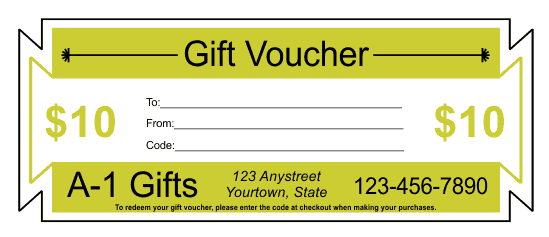
A customer voucher needs different information: issuer, value or benefit, unique code, recipient, issue date, redemption method, locations, partial-use rules, booking requirements, exclusions, and lawful expiry terms. Customer-facing conditions should be readable before purchase.
Do not use a payment-voucher layout for a gift certificate. Internal account codes and approval signatures confuse the recipient, while a decorative gift card lacks the evidence required for accounts payable.
Discount Voucher Design
State whether the offer is a percentage, fixed amount, free item, bundle, or conditional reward. Identify eligible products, minimum spend, dates, channels, locations, customer limits, and whether it can be combined with other offers. Explain how returns affect the discount.
A short promotion code should still be unique enough for the campaign and protected from unintended reuse. Configure the point-of-sale or checkout system before distribution and run test transactions for eligible, ineligible, returned, and partially fulfilled orders.
Legal, Tax, and Accounting Caution
Consumer voucher rules, expiry limits, tax timing, unclaimed balances, discounts, refunds, payment authorization, record retention, and electronic signatures vary by jurisdiction. A generic template is an administrative starting point, not legal, tax, audit, or accounting advice.
Use current official guidance and qualified local professionals. Regulated industries, charities, government bodies, schools, and healthcare organizations may need additional approvals or records.
Digital or Paper Voucher?
Paper can work for small operations and field approvals, but it needs secure storage, controlled numbering, and legible signatures. Digital workflows can validate required fields, route approval, retain timestamps, prevent duplicate payment, and connect evidence to accounting records.
Do not scan a weak process and call it digital control. Configure roles, permissions, approval limits, change logs, backups, and retention. Periodically test whether authorized staff can retrieve a complete transaction record.
Month-End Reconciliation
Compare approved payment vouchers with the accounts-payable ledger, bank transactions, checks, cash records, and outstanding-payment list. Investigate approved-but-unpaid items, payments without vouchers, duplicates, reversals, and stale transactions.
For gift or promotional vouchers, reconcile issued, activated, redeemed, canceled, expired, refunded, and outstanding value. The two voucher systems may share a name, but they require distinct reports.
Common Voucher Mistakes
- Using one vague form for unrelated voucher types
- No unique number or status
- Missing invoice, order, receipt, or contract reference
- One person preparing, approving, and paying
- Unverified supplier bank changes
- Incorrect tax or account coding
- Hidden gift-voucher conditions
- Duplicate or uncontrolled promotion codes
- Editing completed records without an audit trail
- Failing to reconcile vouchers to the underlying system
How to Customize the Payment Voucher Template
Start with the organization’s actual approval process. Add legal name, business unit, voucher series, currency, tax fields, chart-of-account codes, project or grant references, payment methods, and signature roles. Remove fields that have no operational meaning instead of leaving staff to enter “N/A” everywhere.
Place the unique number and status where they are easy to find. Group payee and invoice details together, calculation fields together, and approvals in process order. If the voucher supports several invoices, use a table with invoice date, number, gross amount, deductions, credits, and amount paid.
Protect formulas in an electronic version and validate totals. Test rounding, negative adjustments, multiple tax rates, foreign currency, partial payments, and credits. A formula is helpful only when its logic has been reviewed and users cannot accidentally overwrite it.
Supporting Documents Checklist
The attachment set depends on the transaction, but may include:
- Supplier invoice or approved payment request
- Purchase order and receiving record
- Contract, subscription, lease, or approved quotation
- Expense receipts and business-purpose explanation
- Tax documentation or exemption evidence
- Bank-detail verification record
- Calculation schedule for deductions, retainage, or installments
- Prior payment references where the transaction is partial
Use consistent filenames or attachment labels so a reviewer can match the documents to the voucher. Redact or restrict sensitive information according to policy rather than circulating it unnecessarily.
Corrections, Voids, and Reversals
Do not erase an approved or paid voucher as if it never existed. Mark it void or reversed, keep the original number, record the reason and approver, and create the correcting entry required by the accounting system. Link the replacement to the original.
A rejected draft is different from a reversal after payment. Use statuses that preserve that distinction. Restrict who may reopen, alter, or void completed records and review exception reports.
Cash Payment Vouchers
When physical cash is paid, record the amount, purpose, recipient, date, supporting evidence, fund or drawer, approver, and recipient acknowledgment. The payer should not sign for the recipient. Reconcile the voucher to the cash count and ledger.
For petty cash advances, record the amount issued, custodian, purpose, settlement deadline, returned cash, receipts, and approval of the final expense. An advance remains open until it is properly settled, not merely when money leaves the drawer.
Customer Voucher Control
Gift and discount vouchers also need operational discipline. Keep a controlled master design, generate unique codes, activate value only after approved issuance or successful payment, and update balances at redemption. Train staff on replacement, refunds, partial use, and suspected fraud.
A customer-facing voucher should not expose internal account numbers, approval credentials, or personal data. The design may link to a secure terms page, but important limitations should still be visible before purchase.
Review Before Use
Run sample transactions from beginning to end: a routine supplier payment, partial payment, credit note, cash reimbursement, foreign-currency invoice, rejected request, void, and reversal. For customer vouchers, test sale, activation, partial redemption, full redemption, cancellation, and attempted duplicate use.
Ask the people who prepare, approve, pay, reconcile, and audit the transaction to review the form. Their needs differ. The final template should make the correct process easier and unusual activity more visible.
Preview and Download the Voucher Templates
The original previews and available downloads are preserved below. Review third-party security, licensing, format, and current terms before use.
Editable Voucher Template for Word


Gift Voucher Certificate Design


Gift Voucher Sample

Free Gift Voucher PDF
Blank Payment Voucher Template
Payment Voucher Example
Accounting Payment Voucher Sample
Voucher Template FAQs
What is a payment voucher?
It is an internal record supporting the review, approval, accounting, and payment of an expense or liability.
Is a payment voucher the same as a gift voucher?
No. A gift voucher provides customer value; a payment voucher documents money leaving an organization.
What should a payment voucher include?
Include a unique number, payee, purpose, invoice references, amount, coding, evidence, approvals, method, and status.
Why separate preparation and approval?
Separation reduces the chance that one person can create and release an erroneous or fraudulent payment.
Can vouchers be electronic?
Yes. Digital workflows can improve validation and audit trails when permissions and controls are configured properly.
How should corrections be handled?
Preserve the original record, document the reason, approve the void or reversal, and link any replacement.
Can I customize the hosted Word template?
Yes. Edit a copy to reflect your document type, fields, numbering, approvals, and verified requirements.
Are external download links permanent?
No. Third-party availability, security, formats, and licenses may change.