

A letterhead is a small design system with a serious job. It identifies the sender, carries essential contact information, and makes everything from a quotation to a formal notice feel consistent with the organization behind it. Good letterhead does not shout. It gives the message a trustworthy frame and then gets out of the reader’s way.
These five free company letterhead templates offer starting points for Microsoft Word and print-ready business stationery. They can be adapted for consultants, trades, agencies, nonprofits, professional firms, startups, property businesses, and established companies. The design advice below focuses on clarity, print reliability, accessibility, and everyday use rather than decoration for its own sake.
Decide What the Page Must Communicate
Before choosing colors or moving a logo, list the information a recipient genuinely needs. Most business letterheads include the organization’s legal or trading name, logo, postal address, telephone number, email address, and website. Depending on local law and the type of organization, registration details, tax numbers, professional licenses, directors, or a registered-office address may also be required.
Do not copy regulatory wording from another company. Confirm current disclosure requirements with official guidance or a qualified local adviser. A sole trader, corporation, charity, medical practice, and regulated financial firm may need different information.
Build a Clear Visual Hierarchy
The company name or logo should usually be the first branding element a reader notices, but it should not compete with the letter itself. Secondary details belong in a quieter header, footer, or side area. Use size, weight, spacing, and alignment to establish hierarchy instead of making every item bold.
Try the squint test: view the page from a distance or reduce it on screen. The identity should still be recognizable, while the body area remains calm and open. If the header dominates the page, reduce its height, simplify the graphics, or move supporting details to the footer.
Protect the Writing Area
A beautiful header is not useful if a two-page letter becomes three pages because the usable area is too small. Reserve enough room for the date, recipient address, subject line, paragraphs, signature, and enclosures. Test the design with a realistic long letter rather than a page of placeholder text.
Keep important elements inside the printer’s safe area. Many office printers cannot print to the paper edge. A full-bleed band that looks perfect in a mockup may be clipped or surrounded by an unintended white border. Ask the commercial printer for bleed and trim specifications when edge-to-edge color is required.
Choose Type That Works Everywhere
One or two typefaces are normally enough. A distinctive brand font can work in the company name, while a highly readable font serves contact details and letter content. Avoid very thin text, tiny footer copy, excessive capital letters, and low-contrast gray.
Remember that recipients may open the editable file on another computer. If a custom font is unavailable, spacing and line breaks can change. Export the final outgoing letter to PDF when appearance must remain stable, and keep a carefully tested fallback-font version for routine editing.
Use Color with Restraint
Start with the established brand palette. One strong color plus neutral text often looks more professional than several competing accents. Check how the page appears in grayscale, because many recipients print business documents on monochrome devices.
Large areas of dark ink can curl paper, show banding on office printers, and cost more to reproduce. Reserve saturated color for purposeful elements such as a logo, rule, or small accent. Ensure text and background colors provide enough contrast for comfortable reading.
Logo Quality Matters
Use a high-resolution or vector logo from an approved source. Do not stretch it, crop it tightly, add effects, redraw it, or place it over a busy background. Keep the original aspect ratio and leave the clear space required by the brand guidelines.
A raster logo copied from a website may look blurry in print. Run a physical proof at actual size. The screen can hide soft edges, weak contrast, and artifacts that become obvious on paper.
Header, Footer, or Side Layout?
A traditional top header is familiar and works well with window envelopes. A footer keeps the top quiet and can accommodate registration or contact details. A side panel creates a distinctive look but reduces line length and may complicate multi-page letters. Choose the arrangement that supports the correspondence your organization sends most often.
For multi-page documents, consider a simplified continuation-page design. Repeating a tall illustrated header on every page wastes space. A small logo, document title, page number, and confidential marking may be enough after page one.
Plan for Digital and Printed Use
A letterhead template today must work as printed stationery, an editable Word document, and a PDF attachment. Test all three. Confirm that links are clickable in the PDF, graphics remain sharp, file size is reasonable, and the reading order makes sense for accessibility tools.
When using preprinted paper, create a Word version that leaves the branded areas blank so the artwork is not printed twice. Label the files clearly-for example, “digital letterhead” and “preprinted stock”-to prevent costly mistakes.
Make the Microsoft Word Template Easy to Use
Place repeating brand elements in the header and footer rather than floating them in the body. Use paragraph styles for the date, address, subject, body, closing, and signature. Styles make formatting consistent and allow organization-wide updates without fixing every paragraph manually.
Set margins, tab stops, spacing, and page numbering intentionally. Avoid building the whole page from text boxes, which can shift when content grows. Protect fixed elements when appropriate, but do not lock the document so tightly that staff cannot write a normal letter.
What to Check Before Approval
- Legal name and required registration details are accurate.
- Telephone, email, address, and website have been tested.
- The logo is approved, sharp, and correctly proportioned.
- The page works in color and grayscale.
- All text is readable at actual print size.
- Margins suit office printers and envelopes.
- A long letter flows correctly onto page two.
- The Word file works on a second computer.
- The exported PDF preserves fonts, links, and alignment.
- The filename and version date are clear.
Turn the Design into a Controlled Business Asset
Once the letterhead is approved, decide who owns the master, who may change it, and where staff obtain the current version. Sending templates as email attachments encourages old copies to circulate. A central document library with read-only masters and a visible revision date is safer.
Archive superseded versions instead of silently replacing them. This matters after an address, legal name, telephone number, logo, or regulatory disclosure changes. Staff should know the effective date and whether old preprinted stock must be destroyed, corrected, or used under an approved transition plan.
Letterhead Security and Misuse
Official stationery can lend credibility to fraudulent instructions, fake invoices, unauthorized references, or misleading commitments. Limit access to editable masters and high-resolution brand files. For sensitive letters, use approved signing and delivery procedures rather than treating the letterhead itself as proof of authenticity.
Do not embed passwords, personal identification numbers, bank credentials, or unnecessary personal information in a reusable template. Check document properties and comments before distribution; an otherwise polished PDF can expose an author name, tracked changes, hidden text, or internal notes.
Common Letterhead Mistakes
- An oversized logo leaves too little room for the letter.
- Contact details are too small or too faint to read.
- The address conflicts with the website or official registry.
- Graphics print outside the device’s safe area.
- Custom fonts reflow on another computer.
- Multiple text boxes shift when paragraphs are added.
- A full-color design becomes unclear in grayscale.
- Page two repeats a space-heavy first-page header.
- The PDF contains broken links or hidden editing marks.
- Employees keep using an outdated master.
A Practical Customization Workflow
Begin with the template whose structure is closest to your needs, not necessarily the one with the most decoration. Save a working copy and replace the sample identity with approved brand assets. Enter verified contact and legal details, then set the page margins around the final header and footer.
Next, paste in a realistic letter: a full recipient address, a long subject line, several paragraphs, a signature block, a list of enclosures, and a second page. Correct spacing and page flow before refining colors. Print on the actual paper and printer the team will use. Finally, export to PDF, open it on another device, click every link, and have someone who did not design it proofread the page.
Using Letterhead for Different Documents
The same visual identity may support quotations, cover letters, employment correspondence, notices, proposals, certificates, and formal reports, but each document has different content requirements. Do not force every form into the letter layout. Create related templates with consistent typography and branding while preserving the fields each document needs.
For invoices, contracts, tax documents, medical correspondence, or regulated notices, verify the mandatory information and security controls separately. A professional appearance does not make a document legally complete.
Printing and Paper Choices
Standard office paper is practical for routine correspondence. Heavier uncoated stock can give important letters a more substantial feel, while coated stock may affect handwriting, stamps, folding, and printer compatibility. Request samples before ordering a large quantity.
If using window envelopes, test both common and long recipient addresses so the address remains visible and other text stays hidden. Check fold positions, duplex printing, paper grain, ink drying, and the appearance of the reverse side. Sustainable choices may include recycled stock, responsible sourcing, lower ink coverage, and printing only when a digital letter is unsuitable.
Accessibility and International Correspondence
Use meaningful reading order, sufficient contrast, readable type, descriptive links, and real text rather than turning the whole page into an image. Add alternative text to meaningful graphics in digital documents; mark purely decorative elements appropriately when the software supports it.
International letters may require country names, regional address formats, international dialing codes, right-to-left layouts, or translated legal information. Build localized variants deliberately instead of squeezing every language into one crowded master.
Final Quality Check
Read the letterhead aloud from top to bottom and verify every number and address against an authoritative source. Print one color and one monochrome copy, scan them, and compare the results with the digital PDF. A template is ready only when it stays clear through the entire workflow-not merely when it looks attractive in the editor.
Preview and Download the Company Letterhead Templates
The original previews and download destinations are preserved below. External sources control their files and licensing, so inspect each destination before downloading or using a design commercially.
Blank Company Letterhead Template
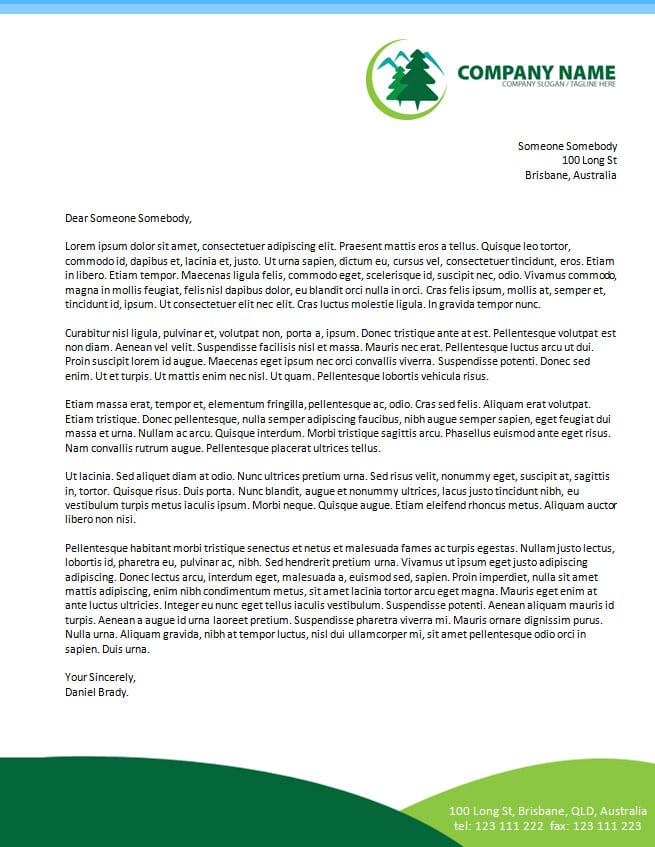

Corporate Company Letterhead Example
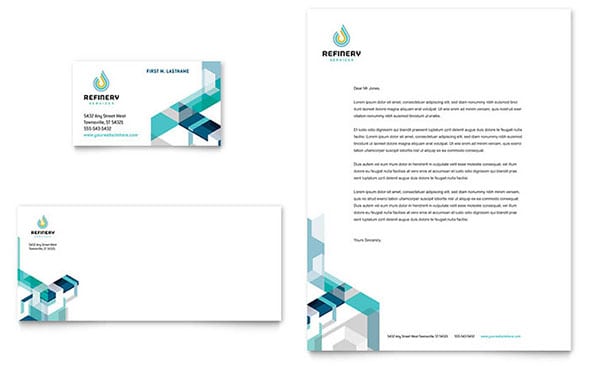
Attractive Company Letterhead Design
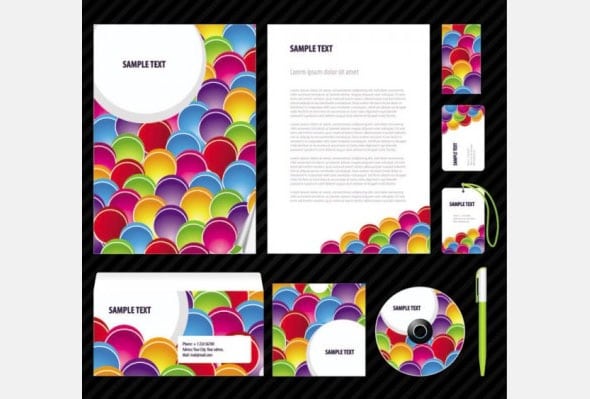
Commercial Company Letterhead Sample
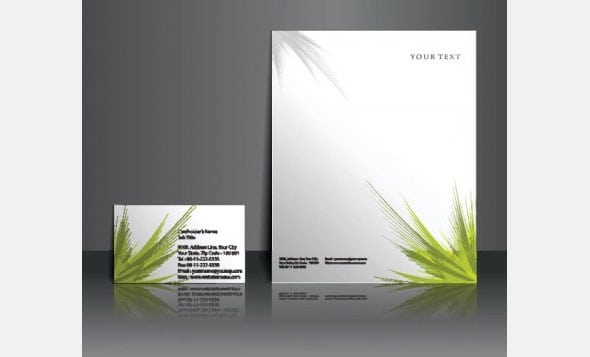
Editable Company Letterhead Template


Company Letterhead Template FAQs
What information belongs on company letterhead?
Usually the company name, logo, address, phone number, email, and website. Add registration, tax, professional, or legal disclosures when current local rules require them.
Can I edit the hosted letterhead in Microsoft Word?
Yes. Download the ZIP, keep an untouched master, and customize a copy with approved branding and verified company details.
What resolution should a logo have?
Use an approved vector logo when possible or a high-resolution raster file sized for print. Always inspect a physical proof.
Should every page repeat the full letterhead?
Not necessarily. Continuation pages often use a smaller identity, document title, and page number to preserve writing space.
Why does my Word letterhead shift on another computer?
Missing fonts, floating objects, printer settings, and different Word versions can change layout. Use stable styles, test elsewhere, and send final letters as PDF.
Can letterhead be used for invoices and contracts?
The branding can be shared, but each document still needs its own required fields, controls, and legal review.
How do I make letterhead accessible?
Use readable type, strong contrast, meaningful reading order, descriptive links, and alt text for informative graphics.
Are the external template links guaranteed?
No. Third-party availability and terms may change. Review the destination, file security, and usage license before relying on it.
